Branded templates
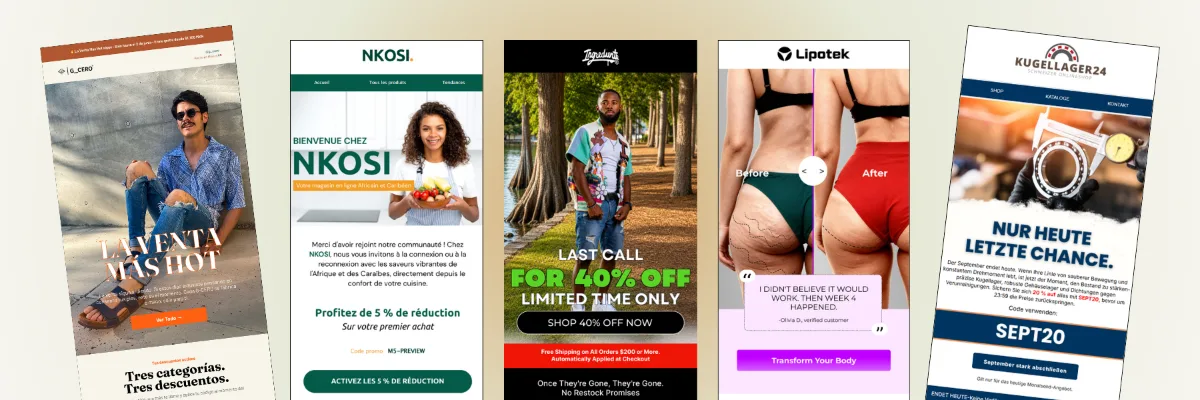
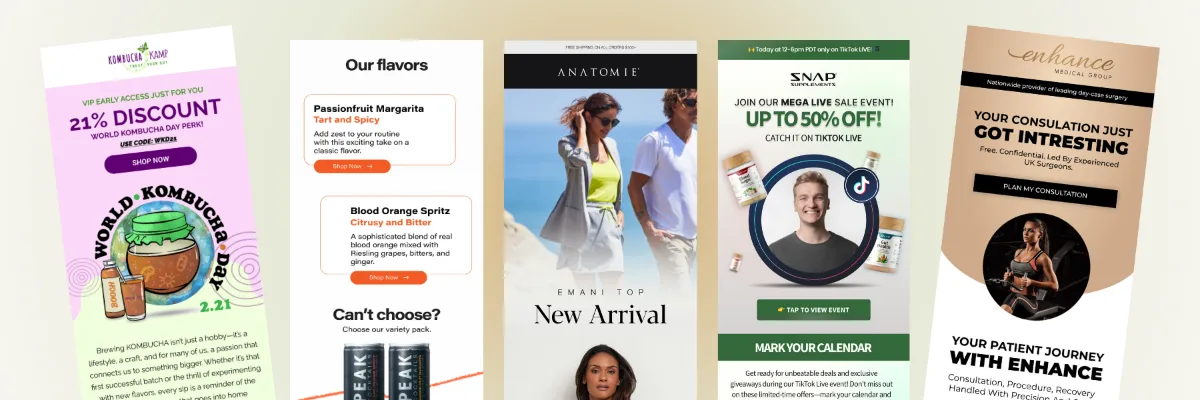
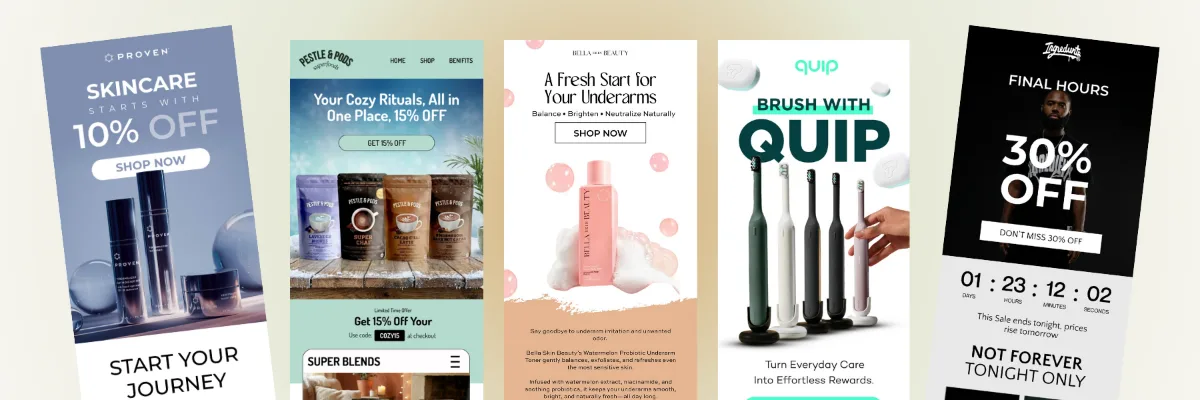
Shopify's drag-and-drop editor pulls in your logo, colors, and products automatically. I turn that into a clean, reusable template set, so every campaign looks like your brand.
Native email marketing
Not every store needs Klaviyo on day one. I set up the email tools that come with your store platform, Shopify Messaging for Shopify and MailPoet for WooCommerce, properly: an authenticated sender domain, signup forms, the automations that earn the most, and campaigns that look like your brand. And when you outgrow them, I'll tell you honestly.
5.0 on Fiverr and Upwork · 190+ projects delivered · Klaviyo Product certified
Brands I've worked with
What native means
Native email tools come with, or are made for, your store platform. Your customers, orders, and products are already there, so there's nothing to integrate, and they cost little or nothing to start. For a new or small store, that's often the smartest place to begin. The catch is that they're easy to switch on and easy to set up badly: unauthenticated sender addresses, one-email automations, and campaigns sent to everyone.
Shopify Messaging
Shopify Messaging, formerly Shopify Email, is the email, SMS, and WhatsApp marketing tool that comes with Shopify. This is what I set up inside it.
Shopify's drag-and-drop editor pulls in your logo, colors, and products automatically. I turn that into a clean, reusable template set, so every campaign looks like your brand.
Ready-made automations for abandoned checkouts, carts, and browsing, welcome discounts, post-purchase, win-back, birthdays, and VIPs. They run on Shopify Flow, so I can extend them when needed.
Segments from your Shopify customer data: new subscribers, first-time and repeat buyers, lapsed customers, and big spenders, so campaigns don't go to everyone.
Popups and embedded forms that collect email and SMS consent, with an offer worth subscribing for, connected to your welcome automation.
Shopify Messaging also sends SMS and WhatsApp, paid per message by region. I add them only where they earn their cost, like abandoned checkout texts.
Shopify's dashboard shows opens, clicks, and sales from each email. I read it monthly, run A/B tests, and use Sidekick's send time and copy ideas as a starting point, not the final word.
Shopify automations
Shopify Messaging comes with templates for each of these. I rewrite the copy, add your brand, set the timing and discounts, and test each one before it goes live.
| Goal | Shopify automation | Channels | My priority |
|---|---|---|---|
| Recover sales | Recover abandoned checkout | Email and SMS | First; its emails are always free |
| Recover sales | Recover abandoned cart | Email and SMS | First |
| Recover sales | Convert abandoned product browse | Email and SMS | Second |
| Welcome | Welcome new subscribers with a discount series | First | |
| After purchase | Thank customers after purchase | First | |
| After purchase | Upsell customers after first purchase | Second | |
| After purchase | Win back customers | Second | |
| Appreciation | Celebrate customer birthday and Welcome VIP customers | Later |
Good to know: automations are edited on desktop, and turning one off cancels anyone waiting in it. For anything the templates can't do, like connecting a third-party app, I set up a custom workflow in Shopify Flow.
Costs
Shopify Messaging is free to install. You pay only for what you send beyond the free allowance, added to your Shopify bill.
| Emails in a month | Price |
|---|---|
| First 10,000 | Free |
| Up to 300,000 | $1 per 1,000 emails |
| After 300,000 | $0.65 per 1,000 |
| After 750,000 | $0.55 per 1,000 |
| Abandoned checkout emails | Always free, and not counted |
Sender authentication
This is the setting I fix most often. Gmail and Yahoo require authentication, so a store email sent from an address that can't be authenticated gets rewritten to a Shopify sending address. Customers see a stranger's address, and trust drops.
yourstore@gmail.com, which can never be authenticatedhello@yourbrand.comDNS changes can take up to 24 hours. I make them early, before the first campaign, and check your existing records first. More detail on my email deliverability page.
WooCommerce
MailPoet is made by Automattic, the company behind WooCommerce, and runs inside your WordPress dashboard. It's free for stores with fewer than 500 subscribers.
Emails triggered by what customers do in your store.
Your WooCommerce transactional emails, like order confirmations, redesigned to match your newsletters.
Sending from your web host is a common reason WordPress emails land in spam.
How I set it up
A branded sender address, domain authentication, and DMARC, so emails come from you and reach the inbox.
Popups and embedded forms with a reason to subscribe, collecting email and SMS consent correctly.
Abandoned checkout and cart, a welcome series, and a post-purchase thank-you, written and designed for your brand.
A reusable campaign template and segments for new, repeat, and lapsed customers.
Results after the first month, what to improve, and a walkthrough so you can send campaigns yourself.
Native or Klaviyo
I'm a Klaviyo specialist, but I don't recommend it to every store. This is how I decide.
| Native tools | Klaviyo | |
|---|---|---|
| Cost to start | Free or very low | A monthly plan based on your profiles |
| Setup | Already connected to your store | An integration to connect and check |
| Automations | Solid templates for the core journeys | Detailed flows with splits, filters, and many steps |
| Segmentation | Based on store customer data | Store data plus browsing, engagement, and predictions |
| Reporting | Per-email and per-automation basics | Revenue attribution, benchmarks, and deliverability tools |
| Best for | New and smaller stores | Stores where email is a growth channel |
Ready to move up? I handle the whole switch on my Klaviyo migrations page, and the flows I'd add on my Klaviyo flows page. Prefer to stay native for now? That's a good choice for many stores, and my custom package works for native setups too.
Results
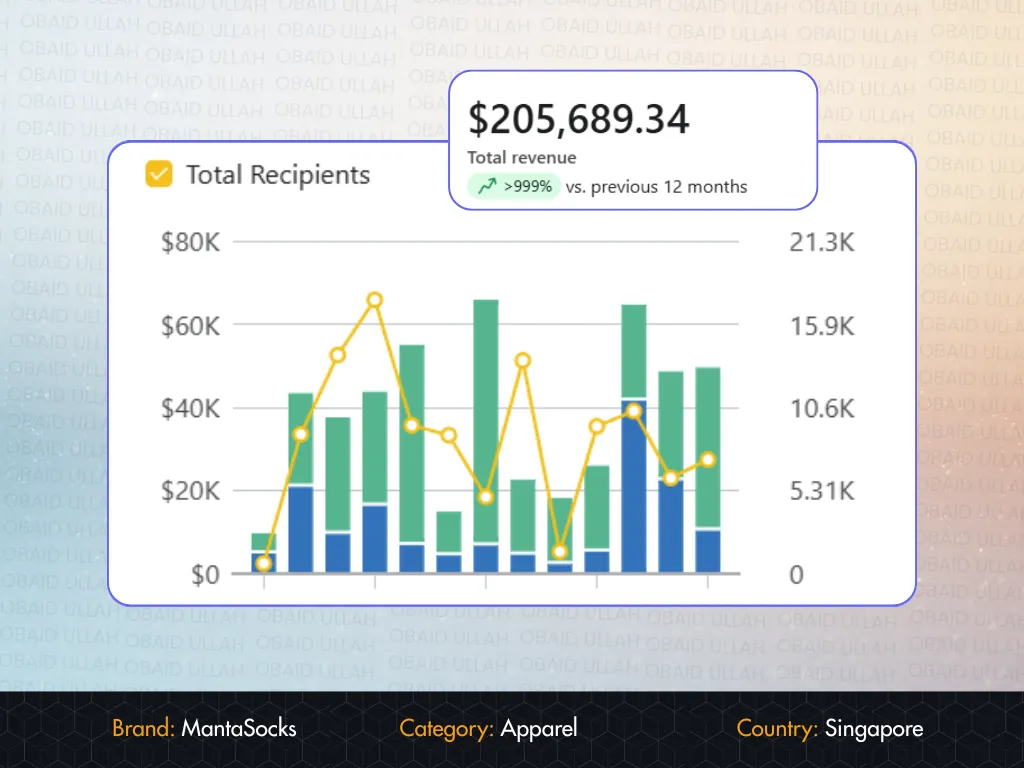 MantaSocks · SingaporeFrom $18.7K to $205K in email revenue, a 10× growth in 8 monthsRead the case study →
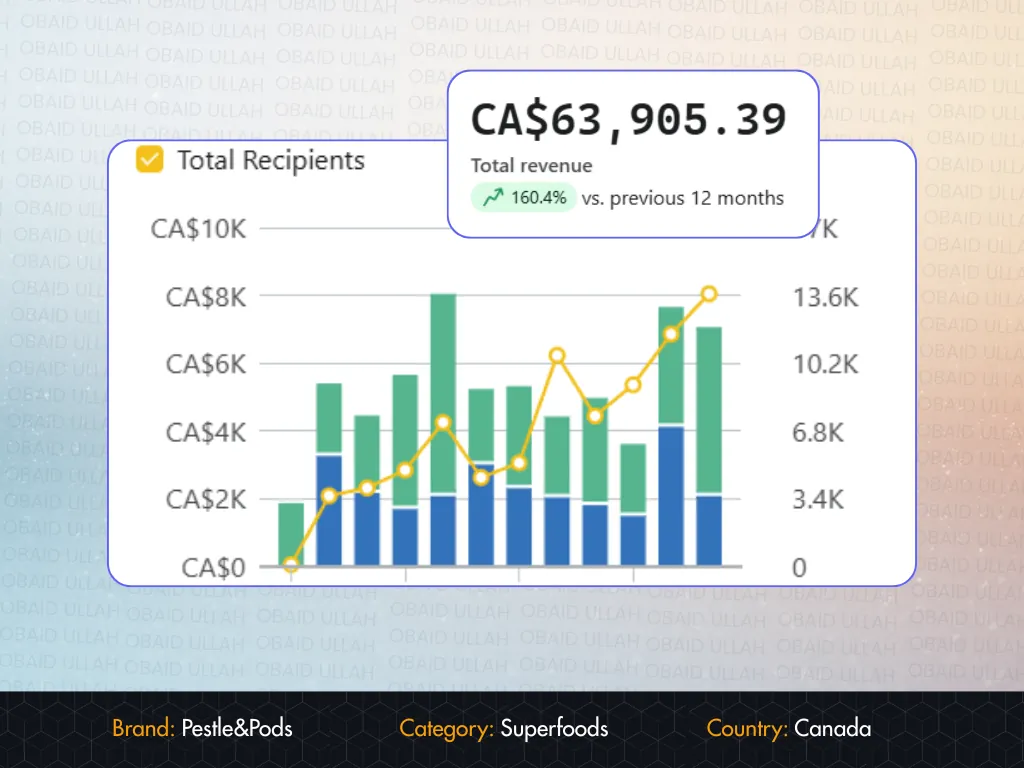 Pestle & Pods · CanadaFrom CA$9.5K to CA$63.9K in email revenue, without spending a dollar more on adsRead the case study →
Our post-purchase flow was a single thank-you email. Obaid turned it into a 5-part sequence that now generates repeat orders on autopilot. Genuinely impressive work.

Obaid is truly Amazing 💯 The level of Quality exceeded my expectations. Amazing work 😁 Very professional Quick to respond Quick delivery Will definitely recommend & use him again
The Great Work That has Been Done by This Selling - Top Class and Very Professional and The Price Of This Service Is Fantastic so I Will Be Forced To Carry On Working With This Seller For a Very Long Time, as they are Simply The Very Best I Have Ever Worked With When It Comes to Price and Top Class Quality. Excellent Services.
FAQ
Let's talk
Tell me which platform you're on and what you're sending today. The first conversation is free, and I'll tell you whether native tools are enough for now or whether Klaviyo is worth it.