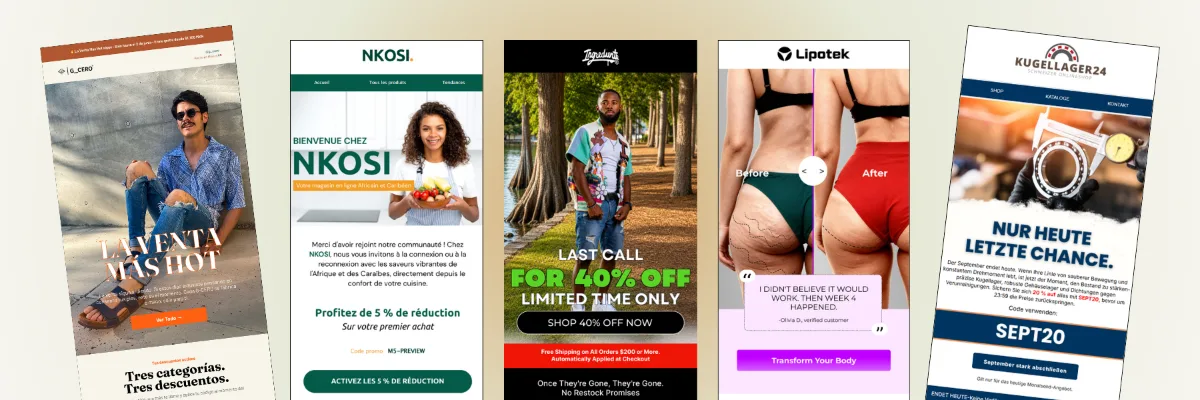
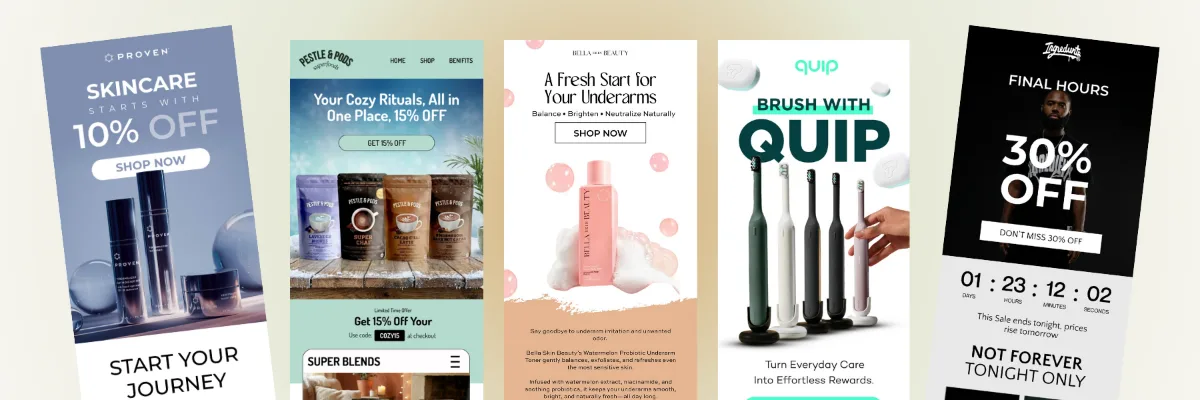
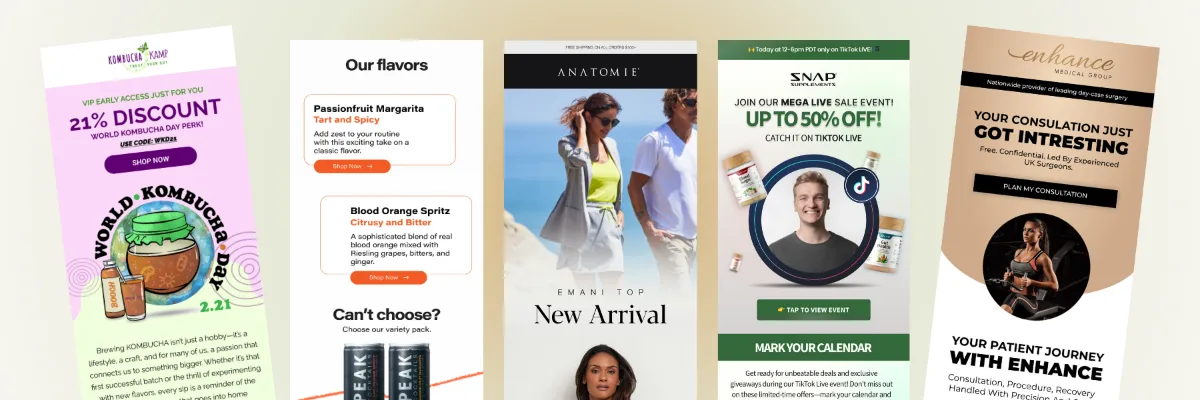
I set up Klaviyo flows that turn what your customers do into the right message at the right time. When someone signs up, browses, leaves a cart, or places an order, a flow picks it up automatically. I plan the journey, write and design every email, set it up in Klaviyo, and test every path before it goes live.
★★★★★ 5.0 on Fiverr and Upwork · 190+ projects delivered · Klaviyo Product certified
Brands I've set up flows for
Aventa
Filigree
Always Friday
LipoTek
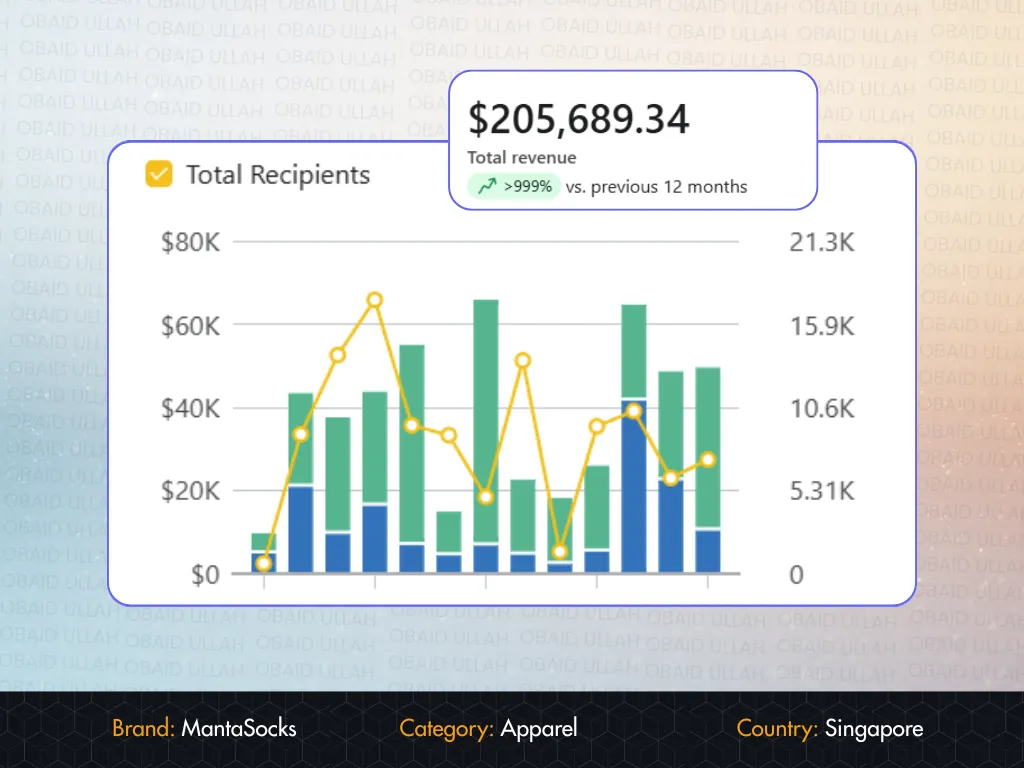
MantaSocks
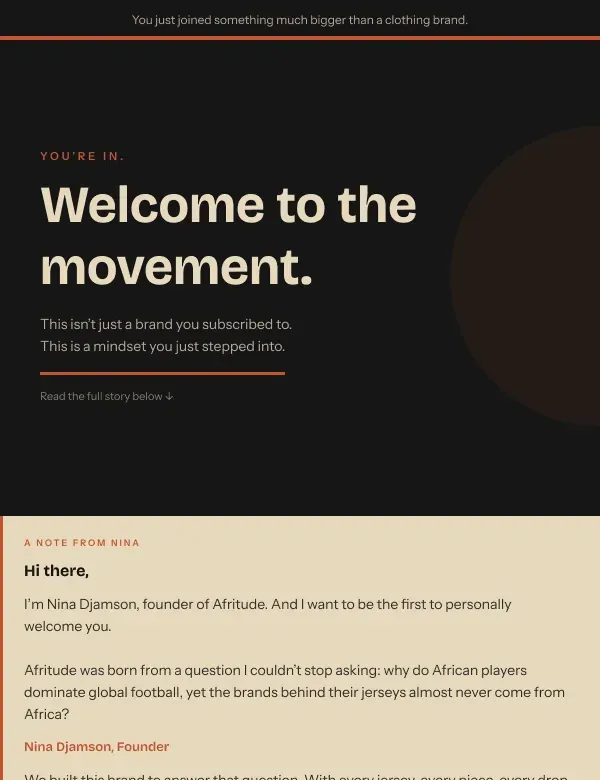
Afritude
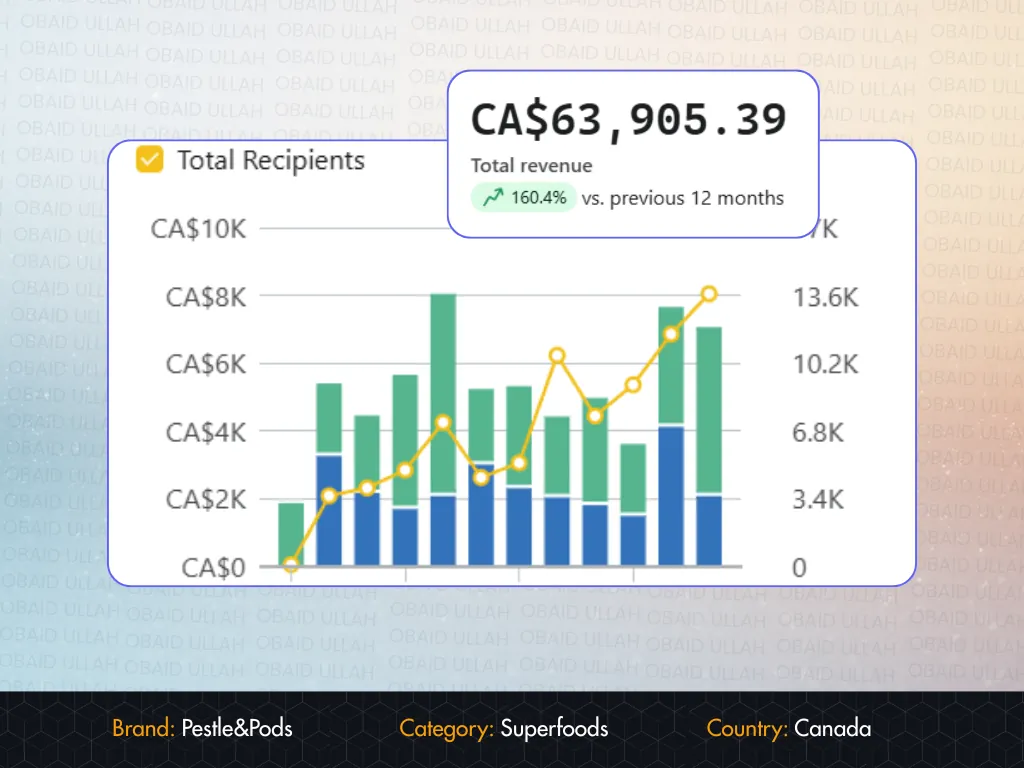
Pestle & Pods
Flushhh
+ more under NDA
Flows vs campaigns
Revenue that doesn't wait for a send button.
A campaign says
“I want to send this message today.”
A flow says
“When a customer does X, automatically send the right message at the right time.”
I think of flows as the part of Klaviyo that never takes a day off. Campaigns depend on someone planning and sending them. Flows run every day, triggered by what each customer actually does, and they keep working across the whole lifecycle, not just before the first sale. The closer a customer gets to buying, the stronger the intent, and the more a well-planned flow is worth.
Viewed ProductBrowse abandonment
Added to CartCart abandonment
Started CheckoutCheckout abandonment
Placed OrderPost-purchase and retention
Level 1 · Essential flows
The revenue foundation every store needs.
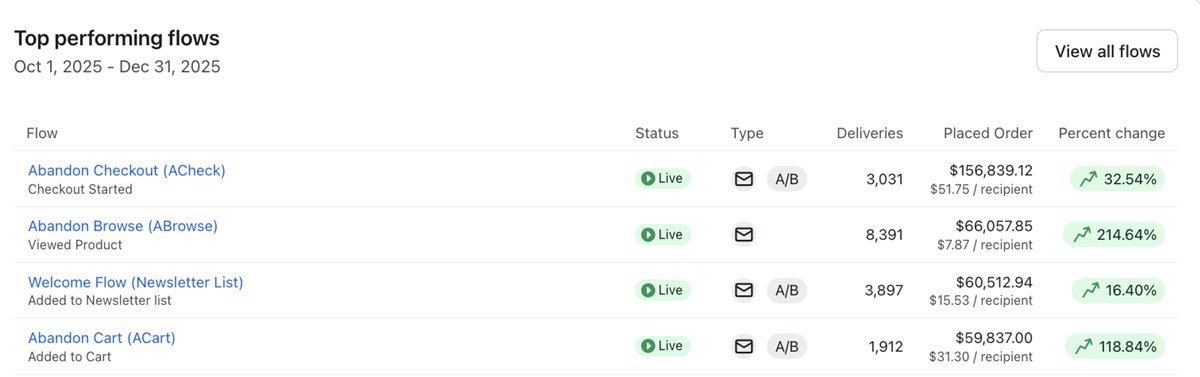
These are the first flows I set up for almost every store I work with. Here is what they earned in one client account.
Welcome
Very high
TriggerJoins newsletter list
I use it to turn new subscribers into first-time customers. It should answer who you are, what you sell, why they should trust you, and what to buy, instead of just “here's 10% off.”
It recovers shoppers who were one step from buying. I always filter it by Placed Order = 0 since starting this flow, so buyers never get “you forgot something.”
Added-to-cart abandonment
High
TriggerAdded to Cart
For shoppers who added a product but never reached checkout. I exclude anyone who started checkout, so it never competes with the stronger checkout flow.
It shows the exact product someone viewed, with reviews and alternatives. Especially valuable for fashion, beauty, furniture, jewelry, and higher-priced products.
Post-purchase
Very high
TriggerPlaced Order
This is where I start the retention journey: order expectations, how to use the product, brand and community, then cross-sell and a review request.
A first-time buyer, a returning customer, and a fourth-time VIP each get a different message. Your fifth-time buyer shouldn't be treated like a stranger.
The four core flows in one of my client accounts over a single quarter. Abandoned checkout alone earned $156,839.
Inside a flow
Example: an abandoned checkout sequence.
I create every flow as a sequence where each message has one job. This is how I usually structure abandoned checkout, then I adjust the timing and content to your product and buying cycle.
TriggerCheckout Started
Flow filter: Placed Order = 0 times since starting this flow.
1–2 hoursEmail 1: “You left something behind”
A clean reminder of the cart. No discount.
18–24 hoursEmail 2: benefits and objections
Reviews, guarantees, and answers to the questions that stop people buying.
20 hoursSMS, if you use it
Short and immediate. It never duplicates the email.
24–48 hoursEmail 3: an incentive, if justified
Only when the cart value supports the margin.
24 hoursEmail 4: final reminder
Real urgency only: stock or a genuine deadline.
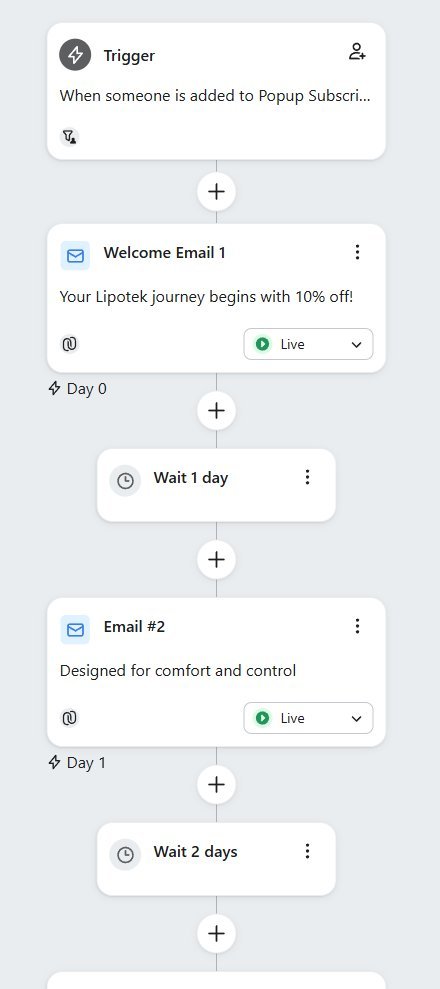
A live welcome series I set up in Klaviyo for LipoTek.
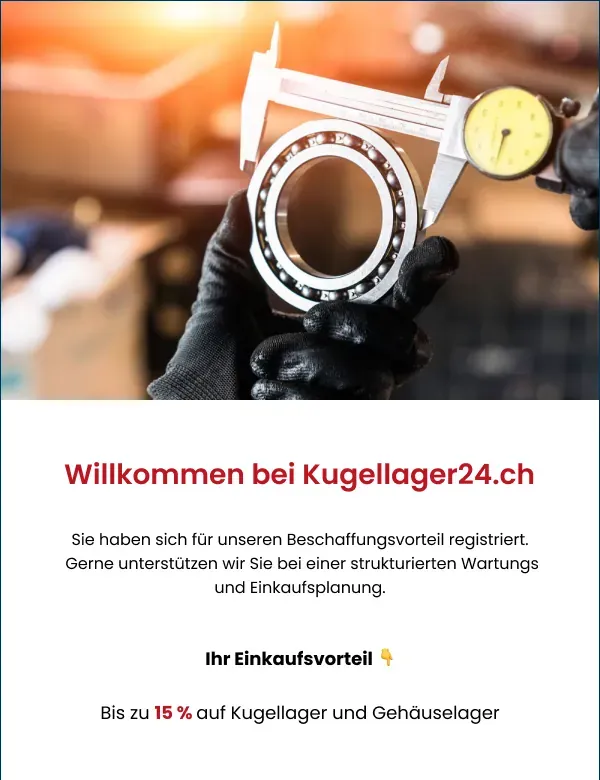
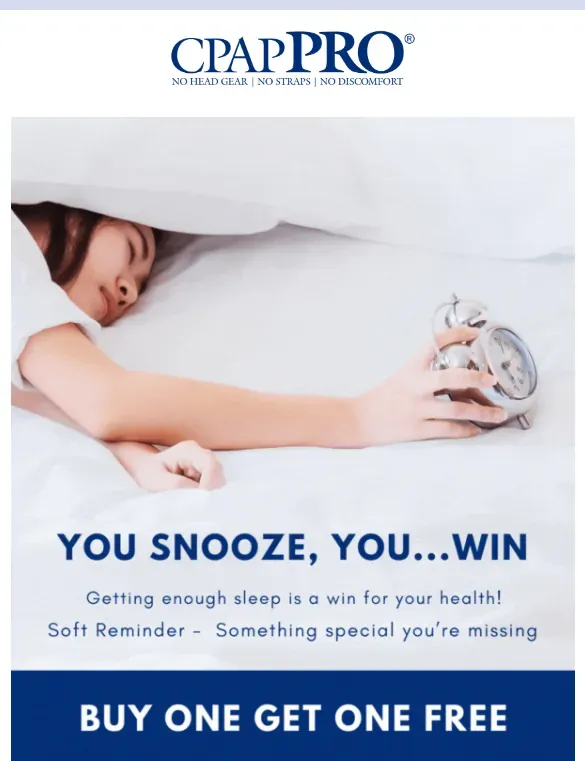
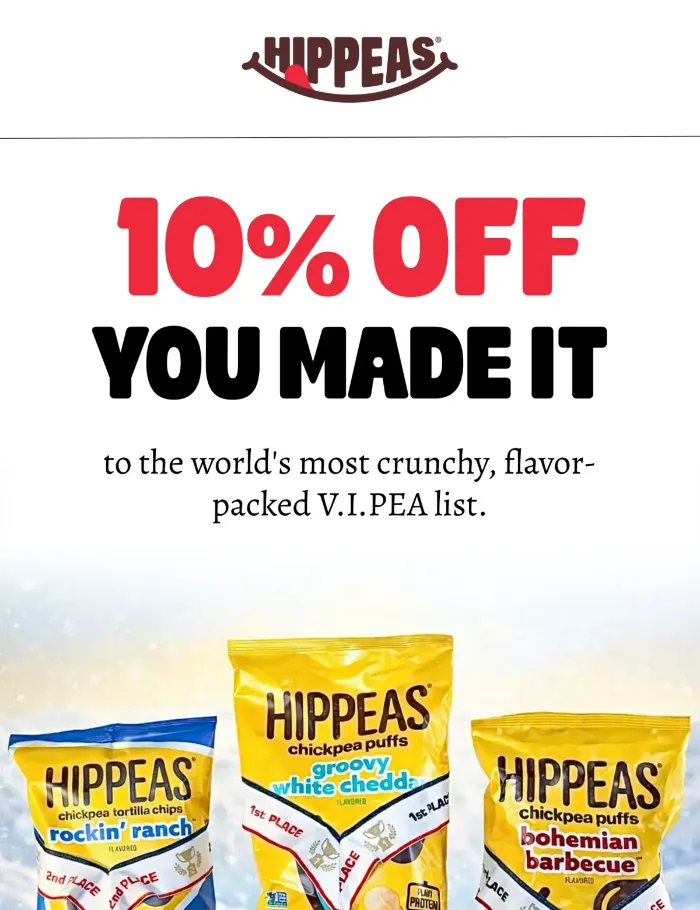
Abandoned checkout and cart emails I designed for Aventa
Ads win the first purchase. I set up these flows to earn the second, the third, and the tenth.
Cross-sell
High
TriggerOrdered Product
I recommend complementary products based on what they bought. Shoes lead to socks and a care kit, not a random bestseller.
Replenishment
Very high*
TriggerOrdered Product + delay
I time it to reach customers just before they run out. *For consumables like skincare, supplements, coffee, and pet food.
Product review
High
TriggerFulfilled Order
I ask for a review once the product has arrived and been used, so you get proof for your product pages, ads, and emails.
Second purchase
Very high
TriggerPlaced Order + order count
I create this one to move one-time buyers to a second order, with education, category discovery, and an incentive only if it's justified.
Win-back
Very high
TriggerPlaced Order + long delay
It re-engages customers who haven't come back. I match the timing to your buying cycle: coffee might need 20–40 days, fashion 60–120.
Sunset
High
TriggerJoins unengaged segment
This one protects deliverability. I give unengaged subscribers a last chance, then suppress them to protect inbox placement and your Klaviyo costs.
Level 3 · Advanced behavioral flows
Personalization based on real customer intent.
I only add these once the foundation is working and your data supports them. I group them by the signal they react to.
01
What they looked at
Browsing and catalog signals.
Price drop
A product they viewed just got cheaper.
Back in stock
I recover demand without offering a discount.
High-intent browse
Three or more views of the same product.
Category browse
Bestsellers from the collection they keep visiting.
Search abandonment
A follow-up on what they searched for (Shopify).
02
What they bought
Order and customer-value signals.
VIP
Early access and recognition for your best customers.
Category-specific post-purchase
Jacket buyers and sneaker buyers get different journeys.
Product-specific
How to use it, what results to expect, then a reorder.
High-AOV customer
Premium treatment instead of an instant discount.
Full-price vs discount buyers
I don't give 20% off to people who pay full price.
03
When they're due
Timing and lifecycle signals.
Birthday and anniversary
Date-based flows that make customers feel remembered.
Churn prevention
I step in when a regular buyer is overdue, not 120 days later.
Reactivation
For customers whose last order was 180+ days ago.
Predictive and CLV-based
Different journeys for different expected value.
Email + SMS hybrid
SMS where it helps, never repeating the email.
How I set them up
The logic that separates setup from strategy.
Four types of trigger
ListJoins newsletter list → welcome
SegmentEnters VIP, churn, or sunset segment
MetricViewed Product, Added to Cart, Started Checkout, Placed Order
Date propertyBirthday, anniversary, renewal, reorder date
Filters and splits
Trigger filterWhich event qualifies, like Placed Order with a value over $200
Flow filterWho stays eligible, like Placed Order = 0 since starting this flow
Conditional splitFirst-time and repeat customers, or high and standard cart values, get different paths
Shopify vs WooCommerce: key flow triggers
Customer behavior
Shopify
WooCommerce
Views a product
Viewed Product
Viewed Product
Adds to cart
Added to Cart
Added to Cart
Starts checkout
Checkout Started
Started Checkout
Purchases
Placed Order
Placed Order
Each item purchased
Ordered Product
Ordered Product
Order fulfilled
Fulfilled Order
Fulfilled Order
Browses a collection
Viewed Collection
Depends on setup
Searches the store
Submitted Search
Depends on setup
Setup order
The order I set them up in.
When I take over a store with almost nothing in place, this is the order I follow.
Phase 1
Revenue foundation
Welcome
Abandoned checkout
Added-to-cart abandonment
Browse abandonment
Post-purchase
Phase 2
Retention
Review
Cross-sell
Replenishment, if relevant
Second purchase
Win-back
Sunset
Phase 3
Advanced personalization
VIP
Back in stock and price drop
Birthday and anniversary
Product- and category-specific
High-AOV and reactivation
High-intent behavioral flows
More flows isn't better. In my experience, eight well-planned flows beat 25 overlapping ones. Without exclusions and priorities, one customer can qualify for browse, cart, checkout, welcome, and price-drop flows at once. A mature setup means the right trigger, audience, timing, message, exclusions, and lifecycle priority.
Our post-purchase flow was a single thank-you email. Obaid turned it into a 5-part
sequence that now generates repeat orders on autopilot. Genuinely impressive work.
Emmanuel
CEO, Lipotek
★★★★★
Upwork
"
The abandoned checkout flow recovers €2K+ every single month. The design quality is
exceptional. It doesn't look like a Klaviyo template, it looks exactly like our brand.
AK
Alex K.
Co-Founder, MagneCHEF
★★★★★
Fiverr
"
Obaid U is a stellar freelancer in email marketing, showcasing STRATEGIC thinking and meticulous attention to detail. Working with him is a breeze thanks to his quick responses, politeness, and deep understanding of the project needs. Highly recommend! 👏
A flow is an automated, behavior-based sequence. When a customer does something, like signing up, viewing a product, starting checkout, or placing an order, Klaviyo sends the right message at the right time without anyone pressing send.
I start with the revenue foundation: welcome, abandoned checkout, added-to-cart abandonment, browse abandonment, and post-purchase. Then I add retention flows like review, cross-sell, replenishment, second purchase, win-back, and sunset.
Abandoned checkout triggers on Checkout Started (Shopify) or Started Checkout (WooCommerce), when someone entered checkout but didn't buy. Added-to-cart abandonment triggers on Added to Cart, for people who never reached checkout. The two are filtered so they don't send at the same time.
Mostly. Both send the core events Klaviyo needs: Viewed Product, Added to Cart, checkout, Placed Order, Ordered Product, and Fulfilled Order. Some names and extra events differ, such as Checkout Started versus Started Checkout, and Shopify adds events like Viewed Collection and Submitted Search.
Yes. Many projects start with existing flows. I review the triggers, filters, timing, and content, keep what works, and redo what doesn't. If you're not sure what you have, a Klaviyo audit is a good first step.
Yes. I handle the strategy, copy, design, and Klaviyo setup together. Every template starts in Figma and gets your approval before I set it up and test it.
Yes. If you use SMS in Klaviyo, I add it where it helps, usually sparingly in high-intent flows, and write it so it doesn't just repeat the email.
Fewer than you might think. Eight well-planned flows with the right exclusions usually beat 25 overlapping ones. The goal is the right trigger, audience, timing, message, and priority, not the highest number of automations.
Flows begin generating revenue as soon as they go live, typically within the first week, as long as the store has traffic and the tracking is working.
Let's talk
Let's get your flows working for you.
Tell me which flows you have today and where you want to be. The first conversation is free, and you'll leave it knowing which flow to fix or set up first. Not sure what you have? Start with a Klaviyo audit.